To reduce PDF size on Android without an app, open Compress PDF in Chrome, select the PDF, type the limit in KB (say 200), and tap Compress PDF. The smaller file downloads to your Downloads folder. It runs in the browser on your phone, so there’s nothing to install and your document isn’t sent to a server.
In this guide
Finding the PDF on your phone
- Downloaded from a website: Files › Downloads.
- Received on WhatsApp: usually in Internal storage › Android › media › com.whatsapp › WhatsApp › Media › WhatsApp Documents. Easier: open the chat, tap the PDF, then the three dots › Share or Save, and save it to Downloads.
- Email attachment: open it in Gmail and tap the download icon.
- Google Drive: open it, three dots › Download.
When the tool’s file picker opens, tap the menu (☰) and choose Downloads or Documents to see these files.
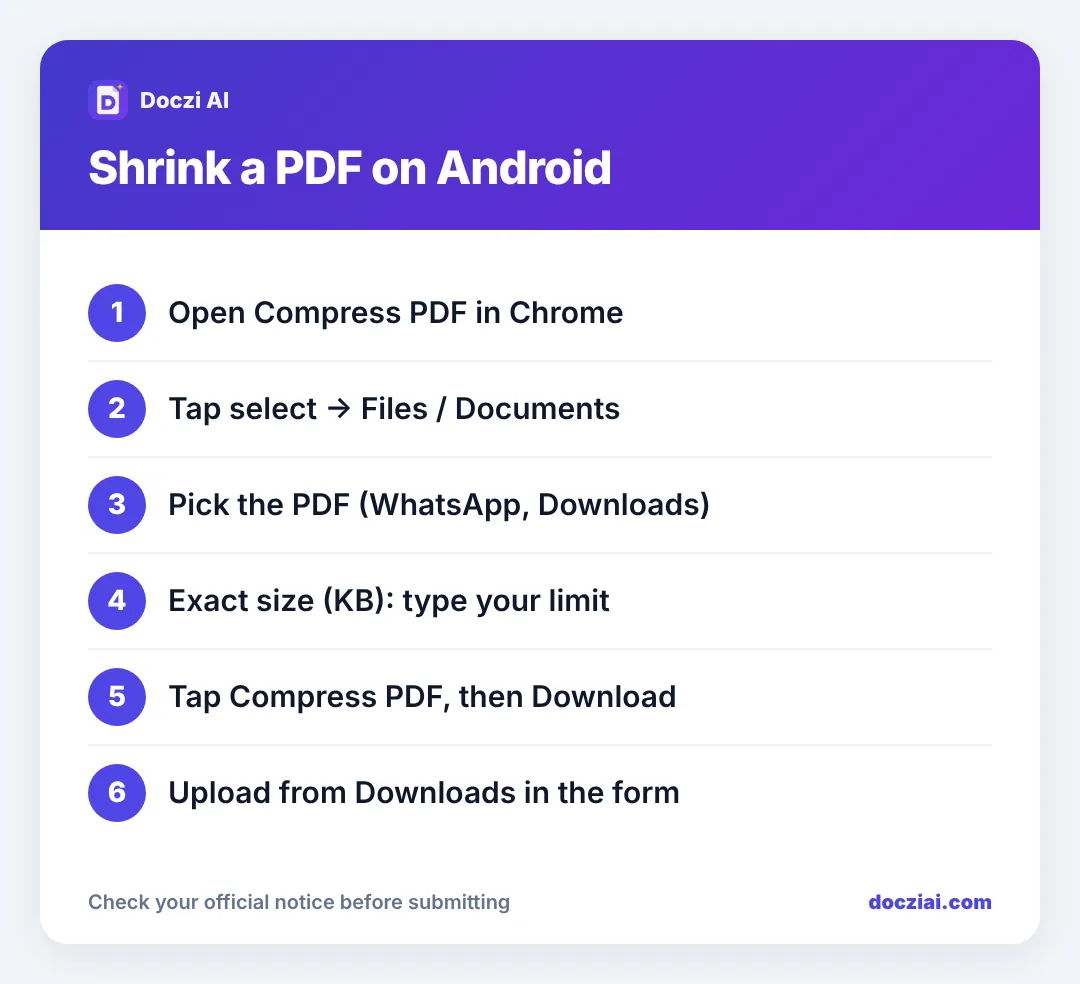
Compress it
- Open docziai.com/compress-pdf in Chrome.
- Tap the select button and pick your PDF.
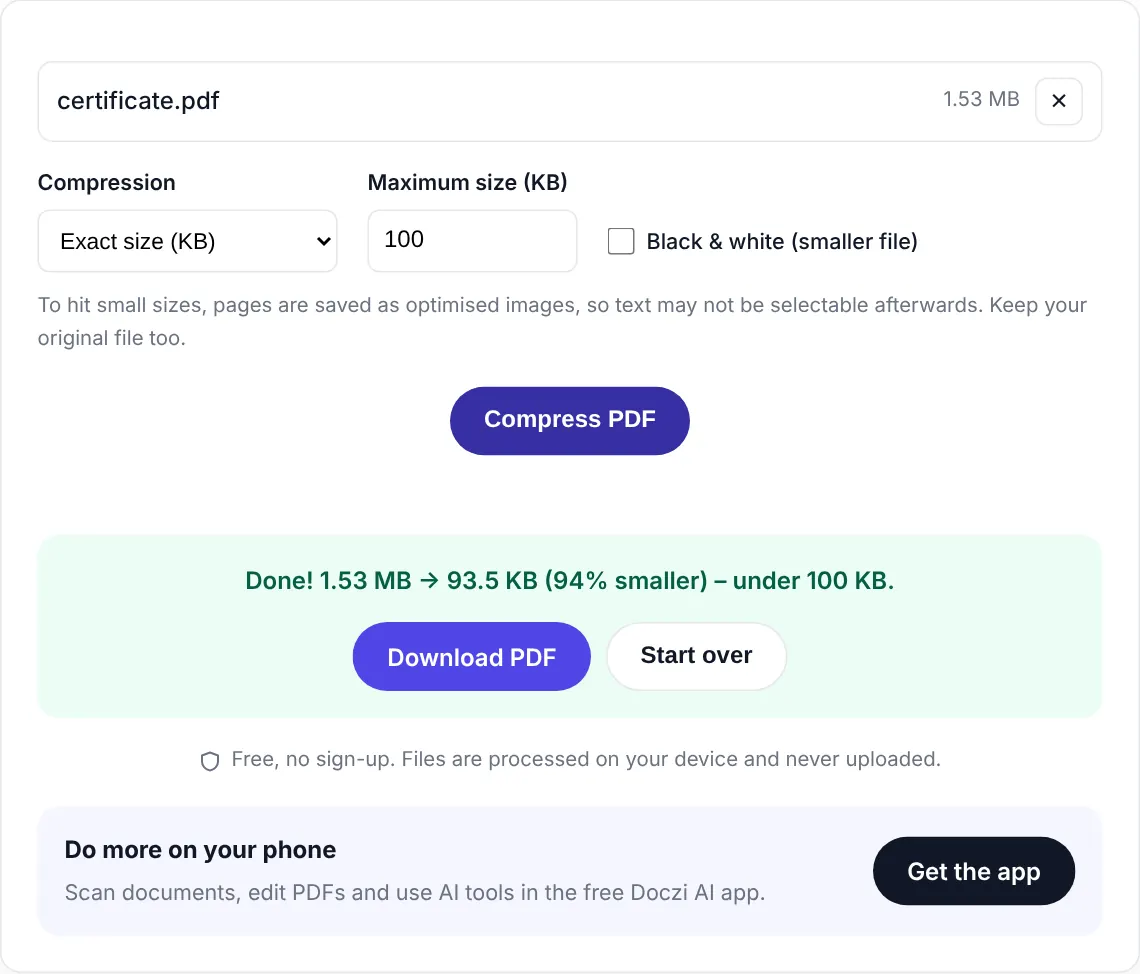
- Choose Exact size (KB) and type the form’s limit. If you just want it smaller, choose Recommended.
- Tap Compress PDF, then download.
- In the form, tap upload and choose the new file from Downloads. Its name ends with “-compressed”, so it’s easy to spot.
Pages for common limits
20 KB · 50 KB · 100 KB · 200 KB · 300 KB · 500 KB · 1 MB
If it can’t reach the size
A 10-page colour scan won’t fit into 50 KB with readable text. The tool tells you when the smallest readable version is still above your target. Then:
- Upload only the pages the form asks for.
- Rescan in daylight with the page filling the frame.
- Use black and white for text-only pages.
We explain the reasons in why scanned PDFs are so large.
Turning photos into a small PDF
If you have photos of a document rather than a PDF, use JPG to PDF under 100 KB: it converts and compresses together. Or see combining photos into one PDF.
Why there’s no need to install an app
Many “PDF compressor” apps want storage access, show ads between steps, and upload your file to their servers to compress it. For a marksheet or an Aadhaar card, that last part matters. A browser tool that works on your phone avoids all three: no install, no permissions beyond picking the one file, and the file never leaves your device.
It’s also quicker when you only need it a few times a year. Bookmark the page, or add it to your home screen from Chrome’s menu (Add to Home screen) and it opens like an app.
If you regularly scan and edit documents on the go, the Doczi AI app does scanning, editing and shrinking in one place. For an occasional form, the browser tool is all you need.
FAQs
Does it work on old Android phones?
Yes, with an updated Chrome. Very long PDFs may take longer on older phones.
Will Chrome’s “Lite mode” or data saver affect it?
No. The compression runs on your phone after the page loads.
Can I compress more than one PDF at once?
One at a time. If you need them as one file, merge first with Merge PDF, then compress.