To get a caste, income or domicile certificate PDF under 200 KB, scan it flat in good light, crop to the page, and compress it to the exact limit with compress PDF to 200 KB. A single-page certificate fits comfortably in 100–200 KB with the seal, signature and certificate number still readable. If you have the certificate as a PDF from the issuing portal, it’s usually already small; just check the size.
In this guide
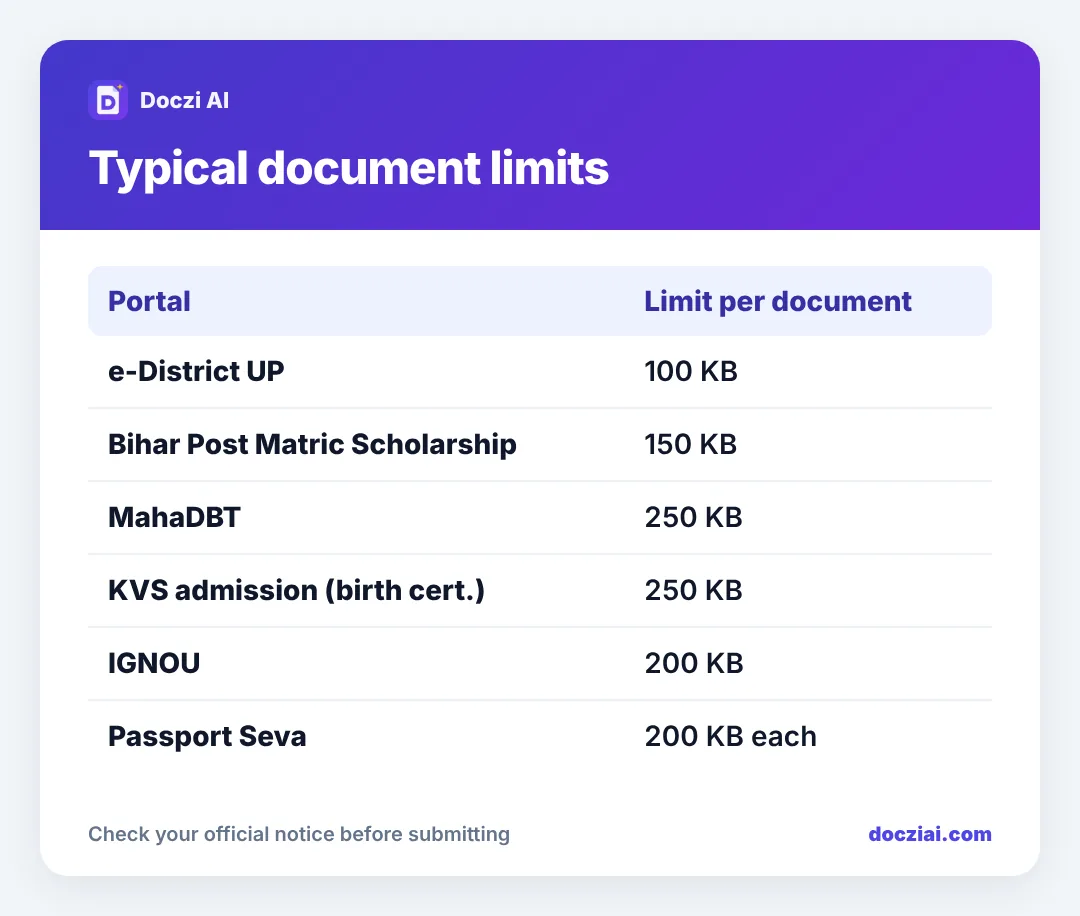
Limits on common portals
| Portal | Document limit |
|---|---|
| e-District UP | 100 KB per document |
| Bihar Post Matric Scholarship | 150 KB per document |
| MahaDBT | 250 KB per certificate |
| IGNOU admission | 200 KB per document |
| KVS admission (birth certificate) | 250 KB |
| PM-Kisan | 50 KB |
These are from the portals’ instructions as we last checked; they change, so read the current notice. Our pages for e-District UP, Bihar scholarship and MahaDBT carry the details.
Step 1: Get a clean scan
If the certificate was issued online, download the original PDF from the portal (or DigiLocker); it’ll be sharper and smaller than any scan. For paper certificates:
- Flatten it under a book if it was folded.
- Photograph it on a dark surface in daylight, phone held flat above.
- Crop to the paper edges. Our phone scanning guide has the full method.
- Convert the photo to PDF with JPG to PDF.
Step 2: Compress to the exact limit
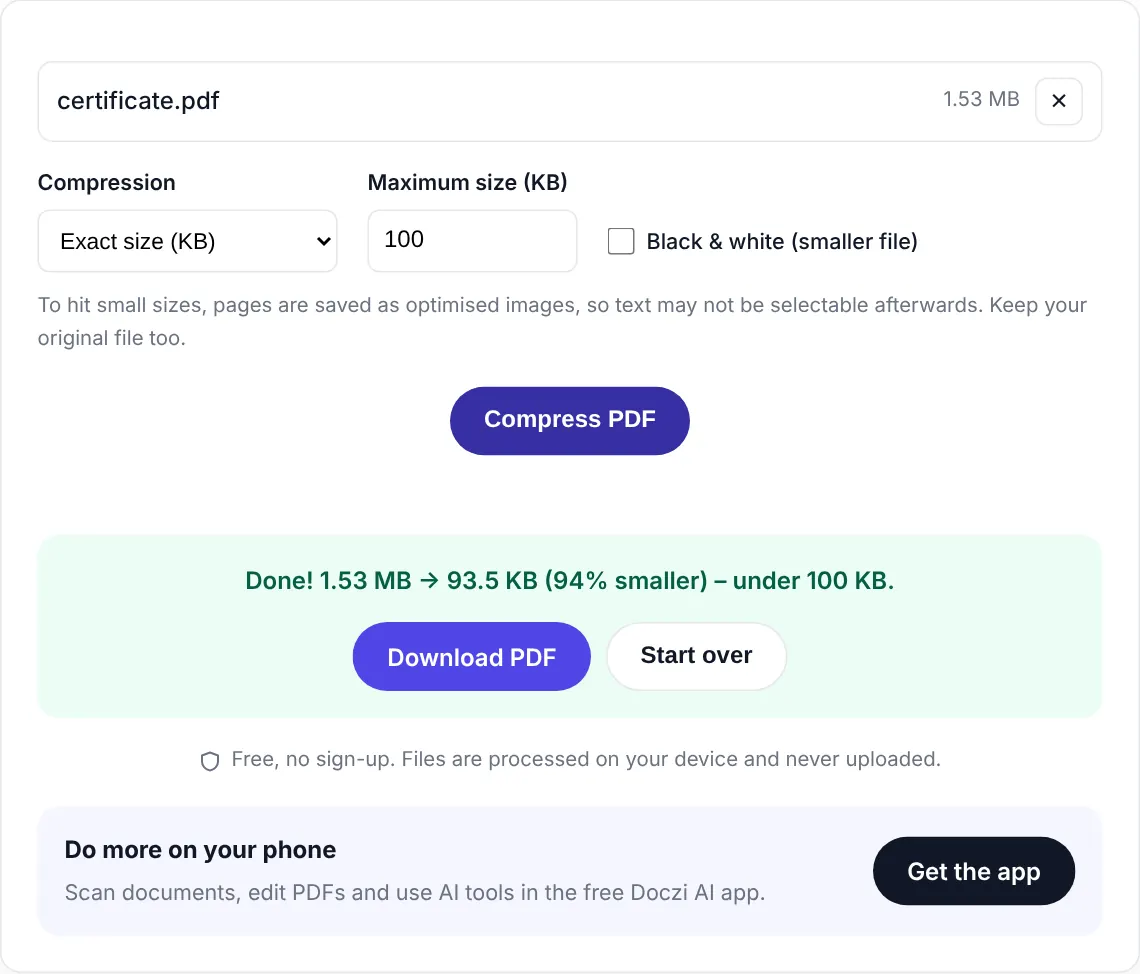
Open Compress PDF, choose Exact size (KB), type the limit minus a little margin (190 for a 200 KB limit), compress and download. Or go straight to JPG to PDF under 100 KB from the photo for tight 100 KB portals.
Step 3: Check what the officer will check
- Certificate number and date of issue readable.
- The issuing officer’s seal and signature visible.
- Your name, father’s name and category clearly readable.
- No part of the page cut off.
Verification officers reject unreadable documents even if the portal accepted the upload. If text blurs at the limit, try black and white compression, or rescan with better light.
Several pages, one limit
Some income certificates come with an annexure, and some portals want a set of documents in one file. Merge them with Merge PDF, then compress. Remove any blank pages first. See why scans get so big if you’re stuck above the limit.
Keep certificates valid and ready
Income certificates are often valid for one financial year, and some portals want a certificate issued after a specific date. EWS certificates have similar rules. Before scholarship season:
- Check the issue date on your income and category certificates against the portal’s rules.
- Apply for renewals early; they can take a couple of weeks.
- Once you have the new certificate, make the compressed PDF straight away and save it in your documents folder.
That way, when the portal opens, you upload in minutes instead of waiting for the tehsil office. See our folder system.
FAQs
Can I upload a photo of the certificate instead of a PDF?
Only if the portal accepts JPG. Most scholarship portals want PDF.
My certificate is in colour. Can I upload black and white?
Usually yes. If the notice asks for a colour scan, keep colour.
Is a DigiLocker certificate accepted?
Many state portals accept or even fetch DigiLocker documents directly. See DigiLocker vs scanned copies.
What if the portal says “file corrupt” after compression?
Open the file on your phone first. If it opens, try renaming it to a short name without spaces and upload again.