Free, no sign-up. Files are processed on your device and never uploaded.
How to merge PDF files
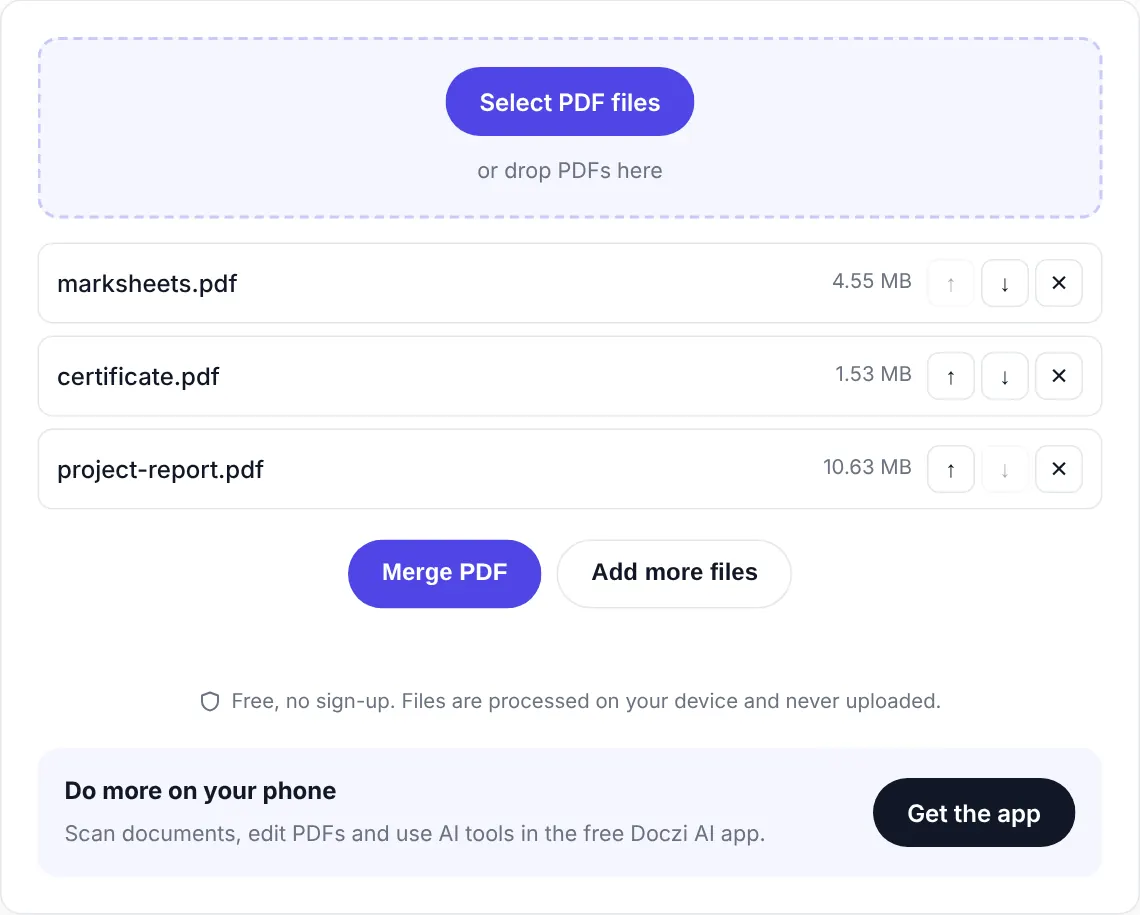
Pick your files, put them in order, press Merge. That’s honestly all there is to it, but here are the steps with pictures in case it’s your first time.
- Add your PDFs. Tap “Select PDF files” and choose two or more files. On a computer you can also drag them into the box.
- Fix the order. The arrows next to each file move it up or down. The top file becomes the first pages of your new PDF.
- Merge and download. Press “Merge PDF”. A few seconds later you get a download button for the combined file.
Your files stay on your device
Most free PDF sites upload your documents to their server, process them there and promise to delete them after an hour or two. You just have to trust that.
We built Doczi the other way round. The merging code runs inside your browser, so the PDF never travels anywhere. You can check it yourself: add one file so the tool loads, then switch on airplane mode and merge. It still works, because nothing needs the internet. That matters when the files are bank statements, salary slips or a scan of your Aadhaar card.
What makes this different from iLovePDF or Smallpdf
Those are good tools, and we use them too sometimes. But the free plans come with limits. Smallpdf allows only a couple of tasks a day before asking you to pay or sign up, and most sites cap the file size. Doczi has no task limit, no account and no watermark. The only real limit is your device’s memory, and a normal phone can join dozens of PDFs without trouble.
Pages are copied as they are. Text stays selectable, links keep working and images are not re-compressed, so the merged file looks exactly like the originals.
When people usually need to combine PDFs
- A job or college application that wants your resume, marksheets and certificates as one upload.
- Bank, insurance or KYC forms asking for ID proof and address proof in a single file.
- Monthly bills or receipts you want to keep together for an expense claim or ITR filing.
- A report where each chapter was written by someone different.
Small tips that save time
If an upload portal has a size limit, merge first and then shrink the result with Compress PDF. For strict limits there are ready pages like compress PDF to 200 KB.
Got photos instead of PDFs? Turn them into a PDF with JPG to PDF first, then merge everything here.
Renaming files as 01, 02, 03 before you add them puts them in the right order straight away, which helps when you have ten or more.
Merging on a phone
This page works fine in Chrome on Android and Safari on iPhone. If you deal with documents every week, though, the free Doczi AI app is quicker. It lets you scan paper with the camera, merge the scans with other PDFs and keep everything in one place.
Frequently asked questions
Is merging PDFs on Doczi really free?
Yes. There is no sign-up, no daily limit and no watermark. We show a small banner for our Android app, and that is it.
Do you upload my files?
No. The PDFs are combined inside your browser on your own device. Nothing is sent to our server. Once the tool has loaded, it keeps working even if you go offline.
How many files can I merge at once?
There is no fixed number. It depends on your device memory. Most phones handle 20 to 30 normal PDFs easily, and a computer can do much more.
Will the quality drop after merging?
No. Pages are copied without re-compressing them, so text, images and links stay exactly as they were in the original files.
Can I merge a password-protected PDF?
Not if it needs a password to open. Remove the password first (you will need to know it), then merge the file normally.