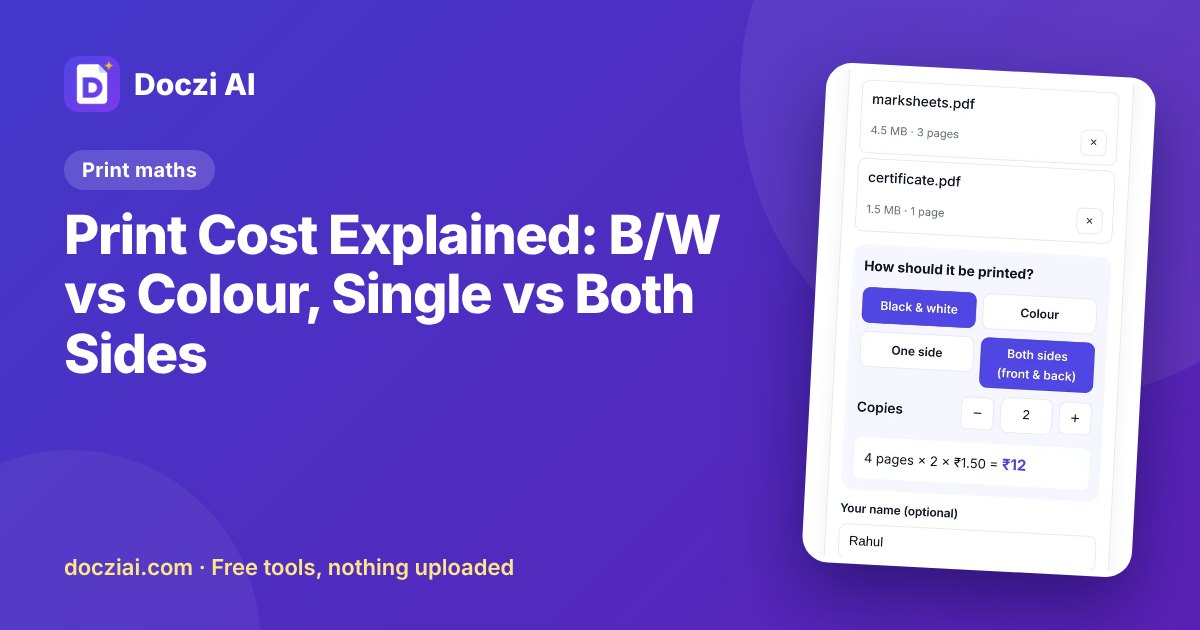
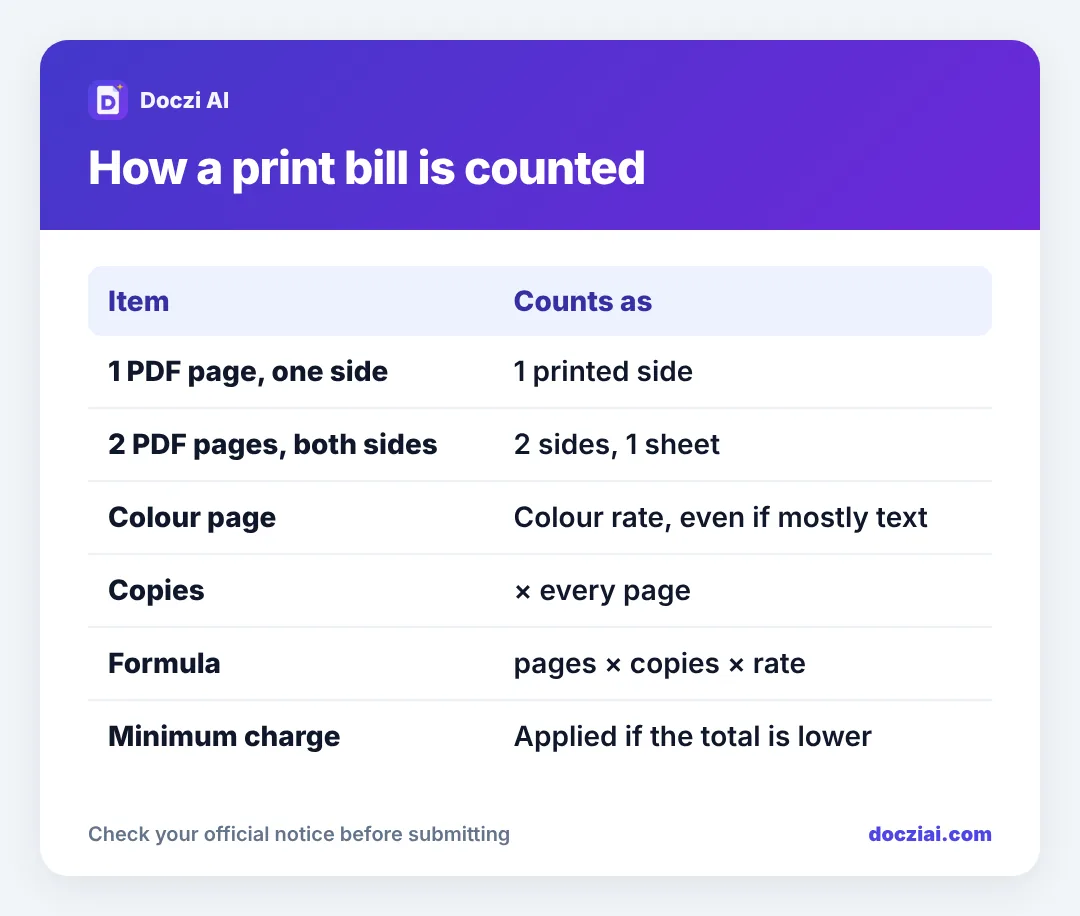
Print cost at a shop is counted per printed side: the number of pages in your file, times the number of copies, times their rate for black and white or colour. Printing on both sides usually has a slightly lower rate per side because it uses half the paper. Some shops also have a minimum charge. If you know the page count and the shop’s rates, you can work out the bill exactly before you send anything.
In this guide
The basic formula
Total = pages × copies × rate per side
Example: a 6-page PDF, 2 copies, black and white single side at ₹2 per side = 6 × 2 × 2 = ₹24. These rates are just for the example; prices vary a lot by town and shop.
Black and white vs colour
Colour costs several times more because colour toner or ink is expensive. Shops usually charge the colour rate for any page printed in colour, even if it’s mostly text with a coloured logo. If you don’t need colour, say so, or the shop may print the file as it is.
Tip: certificates and forms usually look fine in black and white. Photos, coloured charts and ID cards may need colour.
Single side vs both sides (duplex)
Printing on both sides halves the sheets. Shops price it in one of two ways:
- Per side: a lower rate for each side, for example ₹1.50 per side instead of ₹2. A 10-page document on both sides = 10 sides × ₹1.50.
- Per sheet: a fixed price per sheet printed on both sides.
Ask which one your shop uses. Both-sides printing is great for long notes and project reports, not for forms that will be submitted (many offices want single-side copies).
How page count can surprise you
- PDF pages, not files: one “file” can be 40 pages.
- Blank pages: some PDFs have blank pages at the end. You may pay for them.
- Word files: the page count can change on the shop’s computer if fonts differ. A PDF stays fixed; see Word to PDF on your phone.
- Photos: each photo usually prints as one page unless you ask for several on a sheet.
See the price before you send
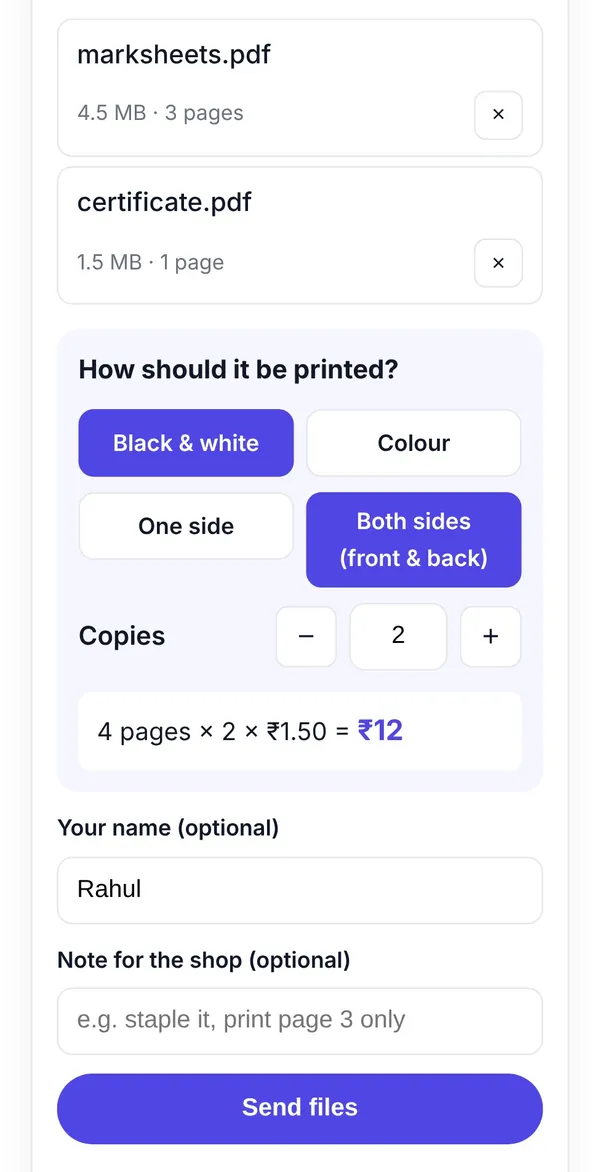
Shops using Doczi Drop can enter their rates. When you scan their QR and pick your files, the page counts are read automatically and you see the total before sending, like “5 pages × 2 × ₹8 = ₹80”. You choose colour or B/W, one side or both, and the number of copies on your phone.
Then you can pay by UPI or at the counter. Shop owners can read how to set up rates and UPI.
Other charges you may see
- Minimum charge: for tiny jobs, for example a single page.
- Thick paper or photo paper: for certificates and photos.
- Binding, lamination, spiral: separate.
- Printing from WhatsApp or email: some shops add a small handling charge.
A worked example
Suppose a shop charges ₹2 per side for B/W single side, ₹1.50 per side for B/W both sides, and ₹10 per colour page. You bring:
- A 12-page project report, 2 copies, B/W both sides: 12 × 2 × ₹1.50 = ₹36.
- A 1-page certificate, 3 copies, colour: 1 × 3 × ₹10 = ₹30.
- A 2-page form, 1 copy, B/W single side: 2 × 1 × ₹2 = ₹4.
Total ₹70. If the shop has a ₹5 minimum, it only matters for tiny jobs like the form alone. These rates are just for illustration. To avoid surprises with page counts, check your files before you go; the printing checklist covers that.
FAQs
Why is a colour page so much more expensive?
Colour ink and toner cost much more per page, and colour printers are costlier to run.
Is A3 printing double the A4 price?
Often around double or more. Ask the shop.
Can I print only some pages of a PDF?
Yes. Tell the shop the page numbers, or write them in the note when you send.
Is “xerox” different from “print”?
Xerox means a photocopy of paper; print means from a file. Rates are often similar for B/W.