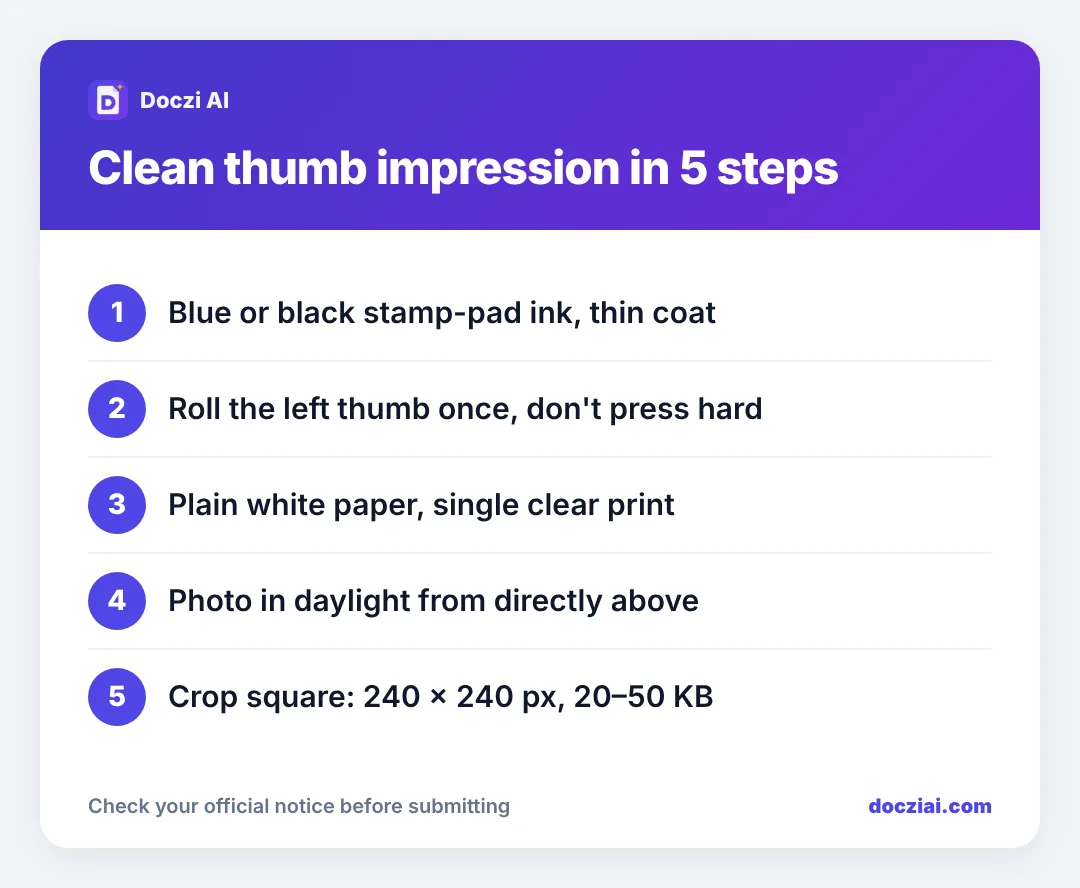
For a left thumb impression on an online form, press your left thumb lightly on a blue or black stamp pad, roll it once onto plain white paper, and photograph it from directly above in daylight. Then crop it square and save it at the size the form wants. For IBPS, SBI, RBI and most bank exams that’s 240 × 240 pixels between 20 and 50 KB.
In this guide
Which forms ask for it
Bank and insurance recruitments that follow the IBPS style ask for four uploads: photo, signature, left thumb impression and a handwritten declaration. That includes IBPS, SBI, RBI, NABARD, LIC, SEBI, NICL, FCI and Bank of Baroda. NEET PG and AIIMS NORCET also ask for a thumb impression. AFCAT asks men for the left thumb and women for the right thumb, so read your notice.
What you need
- A stamp pad with blue or black ink. A fresh, not-too-wet pad gives the clearest ridges.
- Plain white paper.
- Tissue or a cloth to clean your thumb between tries.
Don’t use a pen to colour your thumb, and don’t use lipstick or kajal. Those smear and the ridges vanish.
How to take a clear impression
- Wash and dry your hands. Oily skin smudges.
- Touch the thumb to the pad gently. You want a thin, even layer on the pad of the thumb, not a dripping blob.
- Roll once. Place the left side of the thumb on the paper and roll it to the right in one smooth movement. Don’t press hard and don’t rock back.
- Make three or four impressions on the same page with space between them. Pick the clearest.
- Let it dry for a minute before photographing, so it doesn’t shine.
A good impression shows the curved lines (ridges) of your thumb clearly, with white gaps between them. A solid dark oval means too much ink.
Photograph it
Place the paper near a window and hold your phone flat above it, close enough that the thumb print fills a good part of the screen. Tap on the print to focus. Avoid your shadow on the paper.
Resize to the form’s size
Go to the IBPS photo and signature size page (it has all four bank uploads in one place) and choose the left thumb option. Crop the impression into the square frame, keep Clean white background on, and press the button to make it. The tool saves 240 × 240 pixels inside the 20–50 KB range.
For another exam, check the exam size list or type the numbers into the signature resizer. NEET PG, for example, uses 240 × 240 pixels at 10–78 KB, and AIIMS NORCET uses 240 × 240 pixels at 4–19 KB.
Thumb impression mistakes that cause rejection
| Mistake | What to do |
|---|---|
| Right thumb instead of left | Use the hand the notice says (left for bank exams) |
| Ink blob, no ridges | Less ink, one light roll |
| Two prints in one image | Crop to one print only |
| Grey background | Keep Clean white background on |
| Signature uploaded in the thumb box | Check each preview before submitting |
Keep the original
Save the high-quality photo of your thumb impression in a folder with your photo and signature. You’ll need it again for the next bank form, and making each size from the same original is quicker. Our folder system for form documents shows one way to keep it all ready.
FAQs
Can I use a fingerprint scanner image?
No. Forms want an ink impression on paper, photographed or scanned.
Blue or black ink?
Either, for IBPS-style forms. Blue stamp pads are the most common and work fine.
My impression is light and patchy. Is it acceptable?
If ridges are visible across most of the print, yes. If half is missing, take a new one with a fresher pad.
Do I need the thumb impression for the exam day too?
Many bank exams take a thumb impression or biometric scan at the centre, so the uploaded one should be your genuine left thumb.