PDF scanner, editor & AI, in one app
Just type what you need. Doczi handles the PDF.
Scan a page, merge three files, squeeze a 5 MB report under 100 KB, or ask for a quick summary. Doczi AI is a free Android app that takes care of your PDFs the way you would ask a friend to.
- Free download
- No account needed
- Made for Android
How it works
No menus to dig through
Most PDF apps hide each tool behind three taps and a settings screen. In Doczi you open a chat, attach a file (or scan one) and say what you want. A few things people type:
- "Make this PDF under 100 KB"
- "Merge my three marksheets"
- "Turn these photos into one PDF"
- "Summarise this 40-page report"
- "Change the date on page 2"
- "Scan my Aadhaar, both sides"
What's inside the app
Everything you usually need three apps for
Scan with your camera
Point at a page and get a clean PDF. Works well for forms, notes, receipts and anything with a stamp or signature on it.
Edit the PDF itself
Fix a typo or change a date without hunting for the original Word file. You can also ask the AI to reword a paragraph.
Summaries in a minute
Got a 40-page circular or report? Ask for the main points and read them on the way to the meeting.
Shrink to an exact size
Type 100 KB and it fits. Exam forms, job portals and bank KYC pages stop rejecting your uploads.
Merge and reorder
Put your resume, marksheets and certificates into one file, in the order the form asks for.
Photos to PDF
Pick photos from your gallery and get one tidy PDF, A4 sized and turned the right way up.
See it work
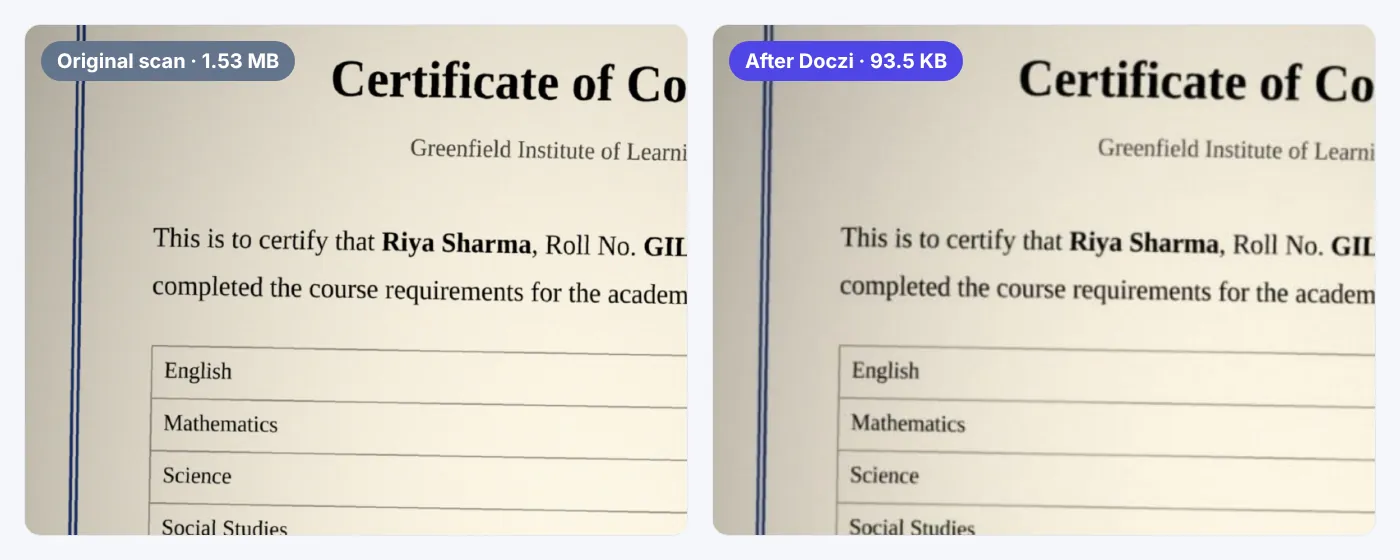
From 1.5 MB to 94 KB in about two seconds
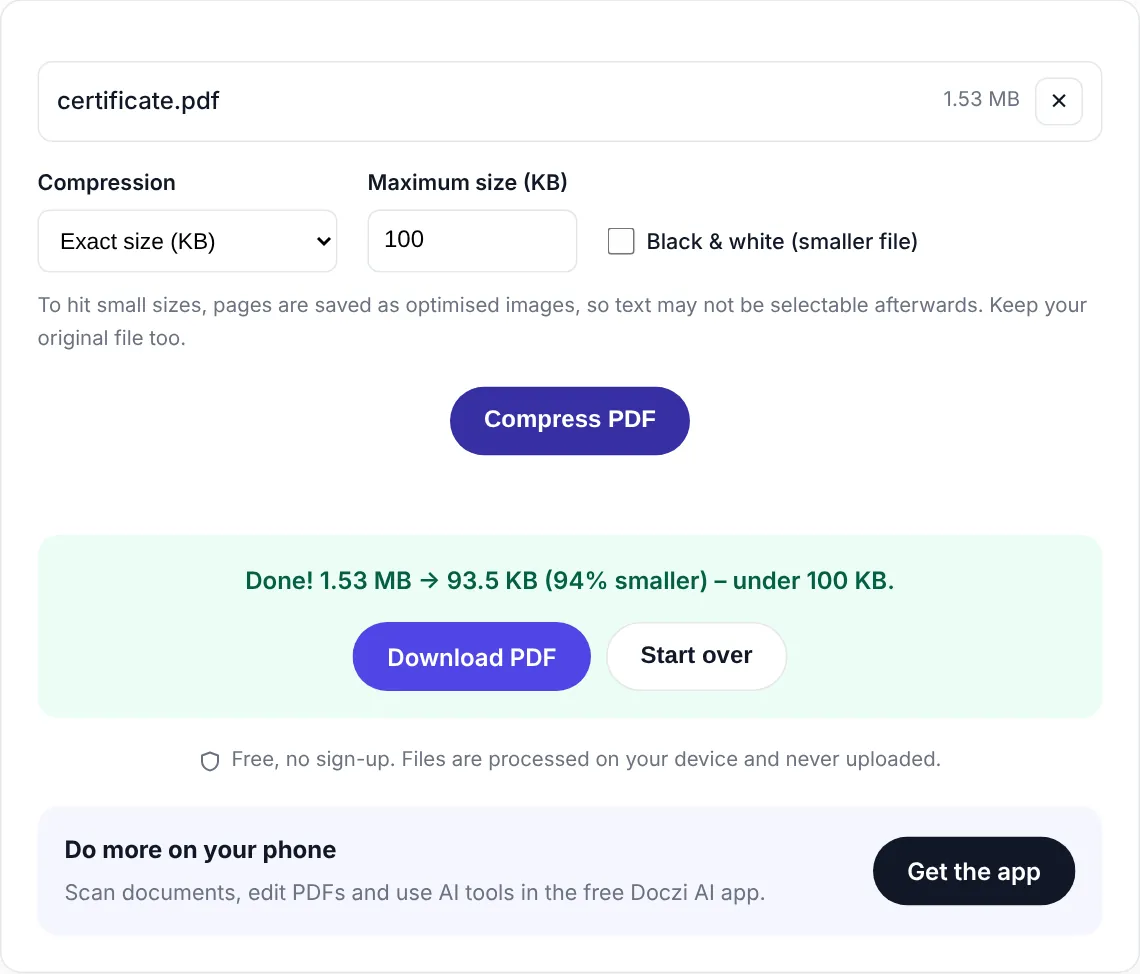
We scanned a certificate with a normal phone. The file came out at 1.5 MB, way over the 100 KB most forms allow. One tap later it was 94 KB, and the name, roll number and stamp were still easy to read.
The video shows the free web version. The app works the same way, and adds the camera scanner and AI on top.
No install needed
Not ready for another app? Use it right here.
The quick jobs work in your browser, on any phone or computer, iPhone included. They're free, there's no sign-up, and your file never gets uploaded. Everything happens on your own device.
Filling an exam form?
Photo and signature in the exact size your exam wants
Every form has its own rule: SSC wants a 10–20 KB signature, RRB wants at least 30 KB, Police Bharti wants a wide 256 × 64 pixel strip. Pick your exam and the resizer is already set up. It runs in your browser, so your photo stays on your phone.
- Exact pixels and KB, minimum and maximum
- Cleans grey paper behind signatures
- Thumb impression and handwritten declaration for bank exams
- Name and date on photo when the form asks for it
App or website?
The website is handy. The app does the rest.
| Doczi app | Website | |
|---|---|---|
| Compress to an exact size | Yes | Yes |
| Merge PDFs | Yes | Yes |
| Photos to PDF | Yes | Yes |
| Scan with the camera | Yes | No |
| Edit text in a PDF | Yes | No |
| AI summaries and rewriting | Yes | No |
| Just type what you want | Yes | No |
| Your files in one place | Yes | No |
| Works on | Android | Any browser |
Get started
Set up in under a minute
- 1
Install from Google Play
It's free. Tap the button on this page, or search for Doczi AI in the Play Store.
- 2
Pick a file or scan a page
Open a PDF or photo from your phone, or use the camera to scan paper.
- 3
Type what you need
"Under 200 KB", "merge with my resume", "summarise". Then share or save the result.
Questions
Things people ask us
Is Doczi AI free?
Yes. You can download it for free and the everyday tools (scanner, merge, image to PDF, compress) are free to use. The app shows a few ads to keep it that way. AI features such as summaries and AI editing are a paid upgrade inside the app.
Is there an iPhone version?
Not yet. Doczi AI is on Android right now. On an iPhone or iPad you can still use our free online tools in Safari: compress, merge and JPG to PDF all work in the browser.
Do I need to create an account?
No. You can use the app without signing in. Google sign-in is optional and only needed if you want to use AI features across devices.
What is the difference between the app and the website?
The website covers the quick jobs: compress, merge and JPG to PDF. The app does all of that plus document scanning with your camera, editing PDFs, AI summaries, and a chat where you just type what you want done.
Are my files safe?
The online tools on this website run inside your browser, so your files are never uploaded. In the app, your documents stay on your phone. When you use an AI feature, the document text is sent to our server only to create the answer.
Why is my PDF too big to upload?
Usually because it was made from phone photos. Our compressor can bring it under an exact size like 100 KB or 200 KB, in the app or online.
Your next form upload can take 30 seconds
Get Doczi AI free and stop fighting with file sizes, scans and page order.
Free on Google Play